
A modern RAID log template for project managers.
Risks, actions, issues and dependencies — captured live, connected to milestones, and owned by the right person. Free to use inside Causr.
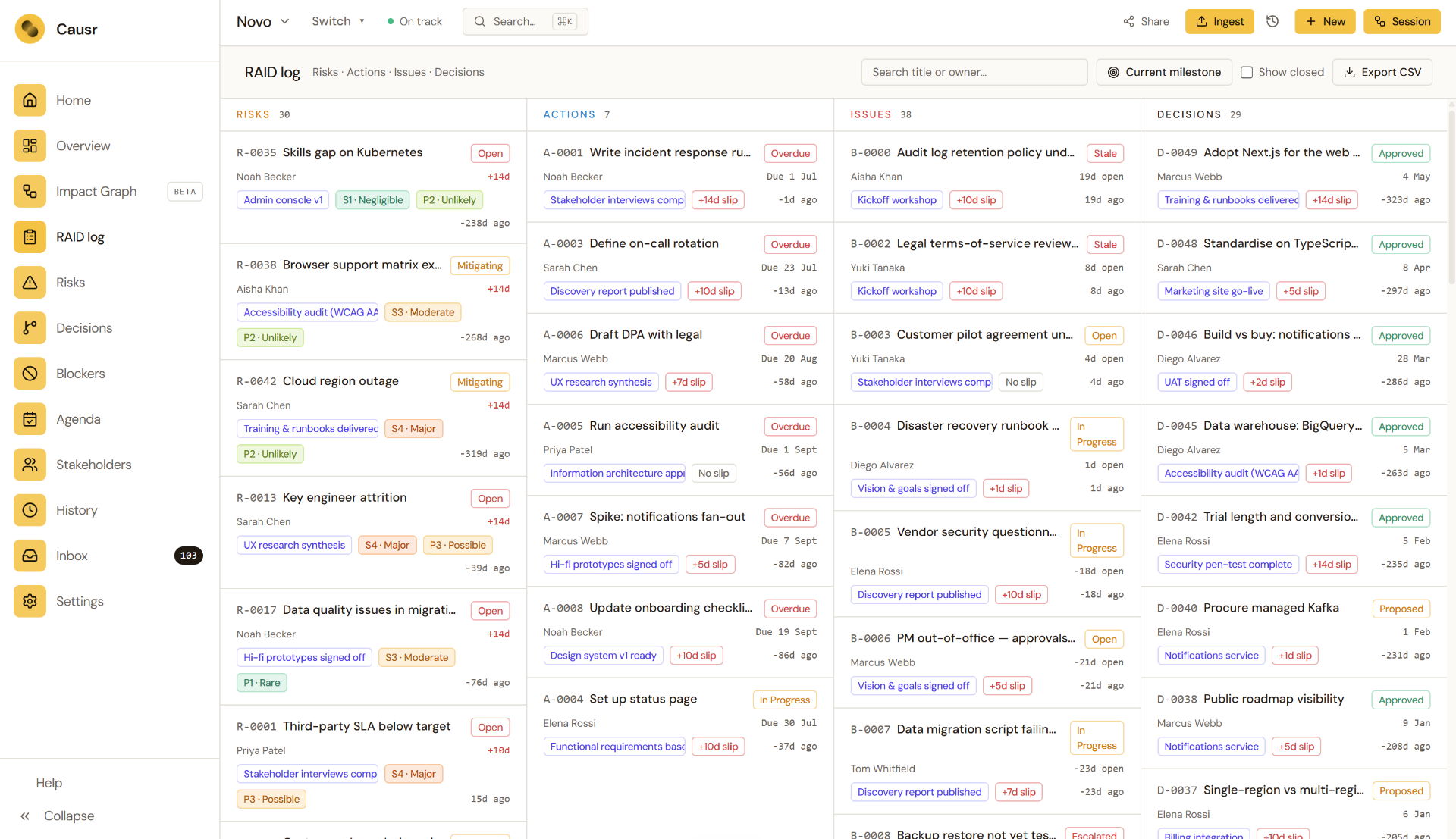
What is a RAID log?
A RAID log is the project manager's single record for everything that could move a deadline — captured before it becomes a delay.
Risks
Things that might happen and would hurt delivery if they did. Capture probability, impact and the milestone they threaten.
Actions (or assumptions)
What needs to happen next to keep delivery moving — each with a clear owner, due date and link to the milestone it supports.
Issues
Things that have happened and are now affecting delivery. Severity, owner, and the action being taken to resolve them.
Dependencies
What you need from someone else — and what others need from you — before a milestone can land.
Benefits of a digital RAID log template.
A spreadsheet RAID log is a snapshot. A digital one is an operational tool — owned, connected and always live.
- Always up to date
No more chasing the latest spreadsheet version. Every owner sees the same live record, updated the moment something changes.
- Connected to milestones
Each risk, issue and dependency links to the milestone it affects, so delivery impact is visible instead of buried in a tab.
- Built-in ownership
Every entry has an owner, a status and a next action — turning a passive log into an operational tool.
- Ready for governance
Filter by severity, owner or milestone to walk into a steering committee with the story already prepared.
- Searchable history
Look back at what was raised, when, by whom and how it was resolved. Spreadsheets lose this; a digital log keeps it.
- Free to use in Causr
Open the template, start capturing entries, and invite your team. No setup, no migrations, no licence fees.
What to include in a RAID log.
The fields that turn a list of worries into an operational record you can actually report from.
| Field | What it captures |
|---|---|
| Type | Risk, Action, Issue or Dependency. |
| Title | A short, plain-language description of the item. |
| Description | The detail behind it — context, source, evidence. |
| Owner | The single person accountable for the next action. |
| Probability & impact | For risks: how likely, and how damaging if it lands. |
| Severity | For issues: how badly it is affecting delivery right now. |
| Status | Open, in progress, mitigated, closed. |
| Linked milestone | Which milestone or deliverable the item threatens or supports. |
| Next action & date | What happens next, by when — so the log drives behaviour, not just records it. |
| Raised date & last update | When it was first logged and when it last moved. |
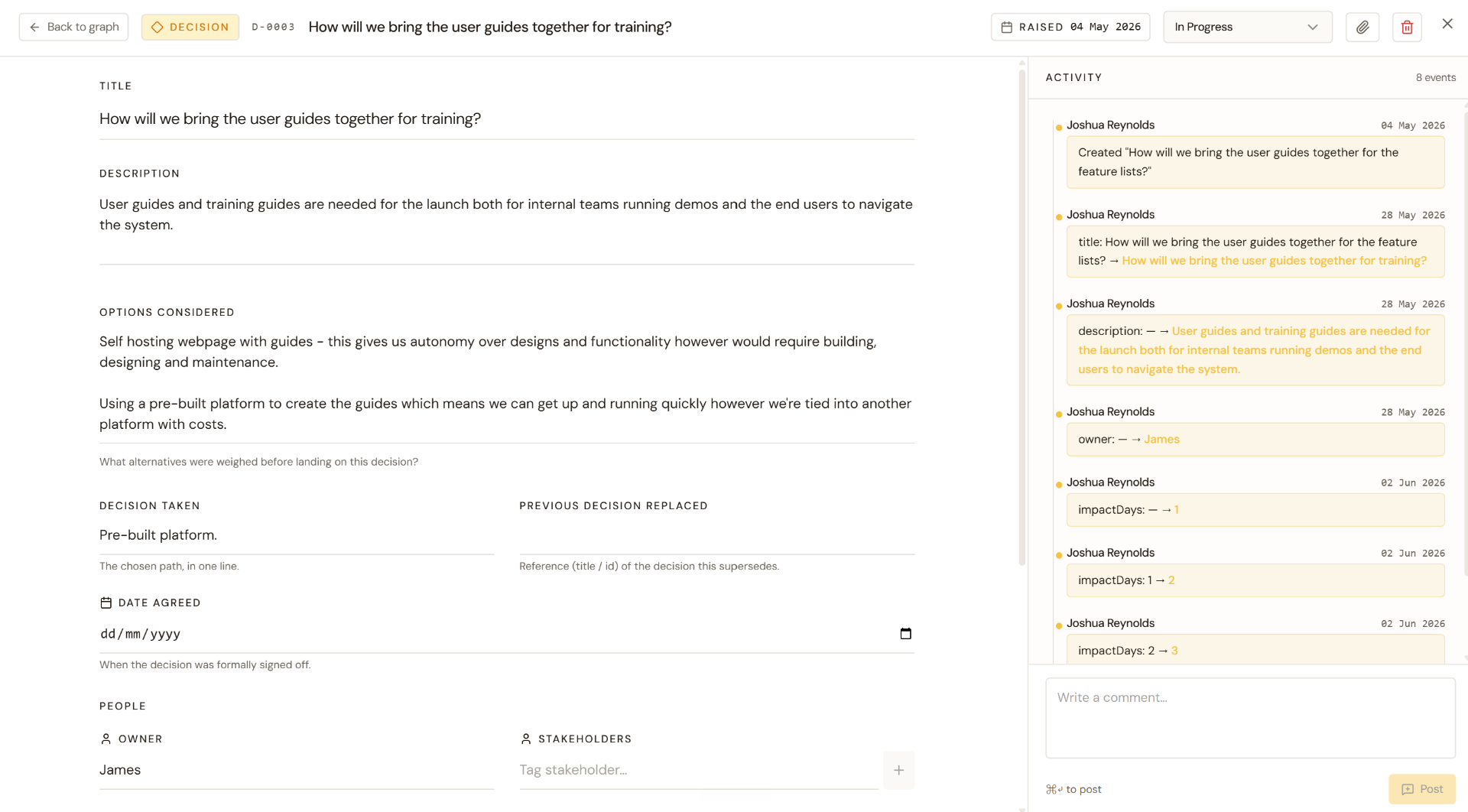
How to use a RAID log template.
- 01Open the template
Spin up a new project in Causr and start with the RAID log template. No setup required.
- 02Capture as you go
Log risks, actions, issues and dependencies the moment they come up — in stand-ups, in Slack, in workshops. Every entry takes seconds.
- 03Link to milestones
Connect each entry to the milestone it affects so delivery impact is obvious, not implied.
- 04Assign and act
Give every item an owner and a next action. Causr keeps the log moving instead of letting it go stale.
- 05Report with confidence
Filter, group and share live views with sponsors and steering committees — no more rebuilding decks the night before.
Frequently Asked Questions
Everything you need to know about the RAID log template.
Start your RAID log in Causr.
A live, connected RAID log — owned by the right people and ready for your next steering committee.
Further reading on RAID logs
Why RAID logs lose value over time — and how to keep risks, blockers and decisions connected to delivery.
Planning builds the model. Control keeps it connected to reality — and that is where projects are lost.
Read moreSeparating process ownership, entry ownership and decision ownership so RAID items actually move.
Read moreRisks, blockers and decisions, connected to the milestones they threaten.
Read more