
A modern DACI decision template for project teams.
Driver, Approver, Contributors and Informed — captured live, with options, rationale and outcomes tied to the milestones they affect. Free to use inside Causr.
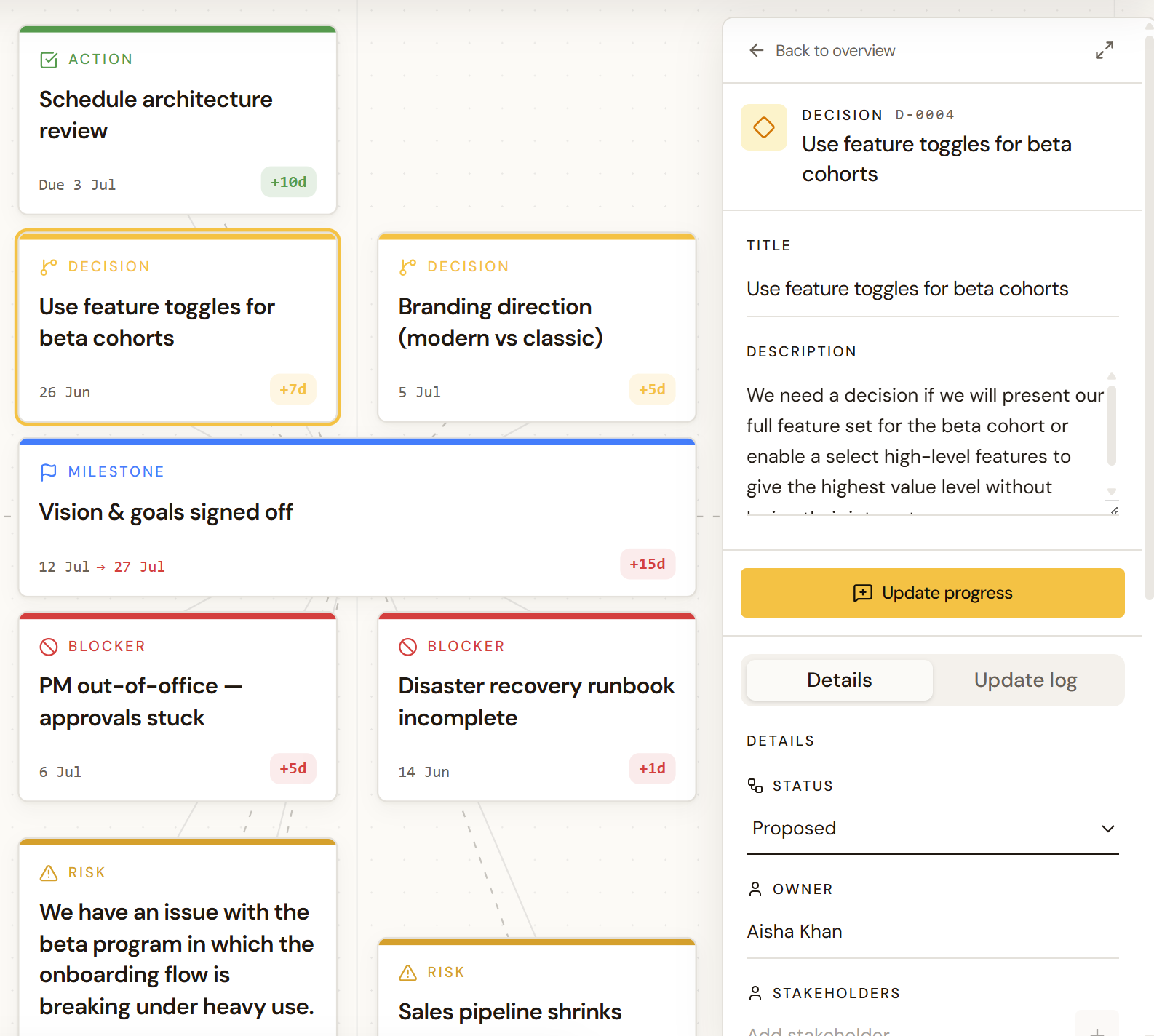
What is a DACI decision template?
DACI is a decision-making framework that makes the roles around a decision explicit. Four roles, one decision — so the team stops circling and the Approver actually gets to decide.
Driver
The single person accountable for moving the decision forward — gathering options, chasing input, and getting it across the line by the due date.
Approver
The one person who ultimately makes the call. Named up front so the team isn't waiting on a vague 'leadership' to decide.
Contributors
The people whose expertise shapes the options — consulted for input, not for sign-off. Their views are recorded, not lost in a thread.
Informed
The people who need to know the decision once it's made. They don't shape it, but they shouldn't be surprised by it.
Benefits of a digital DACI decision log.
A DACI doc in a wiki is a snapshot of one decision. A digital DACI log is an operational record of every decision on the project — owned, connected and always live.
- One owner per decision
Every DACI record names a single Driver and a single Approver. No more decisions stuck in committee or waiting on 'leadership'.
- Options are recorded, not rehashed
Capture each option with its pros, cons and cost so the team stops relitigating the same debate three meetings in a row.
- Connected to delivery
Link every decision to the milestone, risk or workstream it affects — so the impact of a 'no' or a 'wait' is visible immediately.
- Status you can report on
Open, in review, decided, superseded. Walk into any steering committee with a current picture of what's been agreed and what's pending.
- Auditable history
Who decided, when, on what evidence, and which options were considered — preserved long after the original Slack thread is gone.
- Free to use in Causr
Open the template, log your first DACI decision and invite the contributors. No setup, no migrations, no licence fees.
What to include in a DACI decision.
The fields that turn a one-off doc into a decision record the team — and the next project manager — can actually use.
| Field | What it captures |
|---|---|
| Decision title | A short, plain-language summary of the call being made. |
| Status | Open, in review, decided, superseded. |
| Driver | The single person accountable for getting the decision made. |
| Approver | The one person who signs off the final call. |
| Contributors | The named people consulted for input or expertise. |
| Informed | The people who need to know once the decision is made. |
| Due date | When the decision needs to be made by — so it doesn't drift. |
| Background | A 1–2 line summary of why the decision is needed and what it impacts. |
| Options considered | Each option with pros, cons and estimated cost or effort. |
| Action items | What still needs to happen — with owners and dates — before the call can be made. |
| Outcome & rationale | The final decision, why it was chosen, and what was rejected. |
| Linked milestone / risk | Which part of delivery the decision affects. |
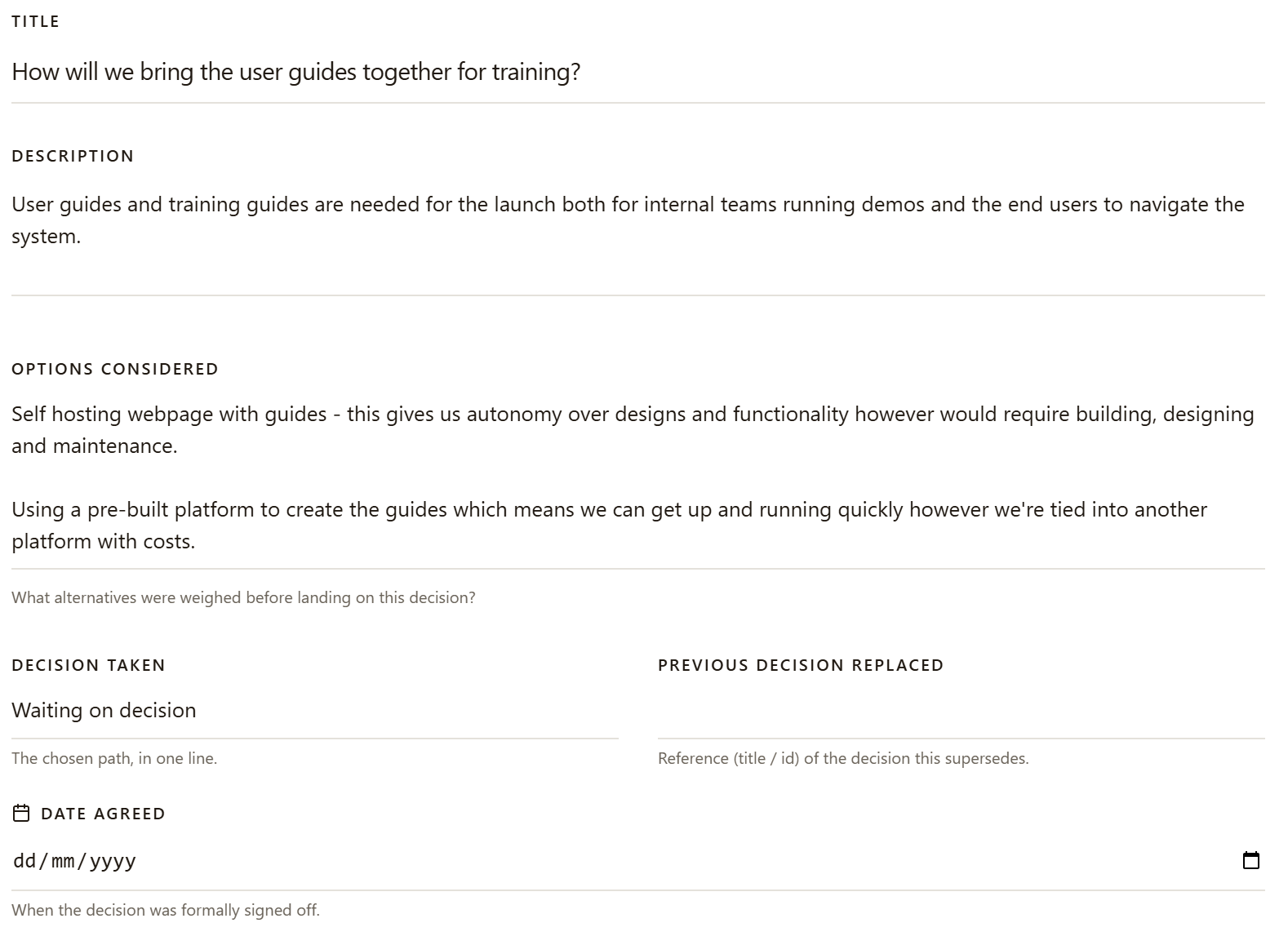
How to use a DACI decision template.
- 01Open the template
Spin up a decision in Causr using the DACI template. No setup, no doc to copy — start filling it in straight away.
- 02Name the roles
Assign one Driver and one Approver. Add Contributors whose input you need and the people who must be Informed.
- 03Capture options
List at least three options with pros, cons and rough cost. Attach evidence — links, data, screenshots — so the call doesn't rely on memory.
- 04Work the action items
Log what still needs to happen before the Approver can decide — and who owns each step.
- 05Record the outcome
Once decided, capture the choice and the rationale. Inform the Informed. Link it to the milestone or risk it affects so the why isn't lost.
Frequently Asked Questions
Everything you need to know about the DACI decision template.
Start your DACI decision log in Causr.
A live, connected decision log — owned by the right people, linked to the milestones they affect, and ready for your next steering committee.
Further reading on decision logs
Why decisions get lost between Slack and steerco — and how to keep them connected to delivery.
Frameworks, decision criteria and escalation paths for assigning who decides what.
Read moreWhy decisions belong in a governed system, not a shared sheet — plus a practical migration plan.
Read moreA modern DACI template — Driver, Approver, Contributors, Informed — free in Causr.
Read more